The top trending podcasts and episodes on Podomatic.
Top Trending Podcasts
Rank
Change
FEATURED PODCASTS
100K CLUB
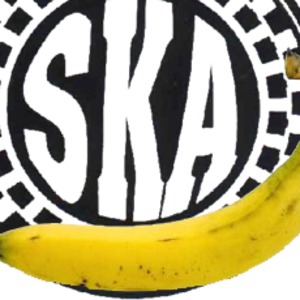
SkaBanana Podcast
By félix sant-jordi
Music35 Followers 11 Episodes
Share
¡Ska Banana Podcast!
Está en PodOmatic.com
Gracias a SkaBanana muchos tuvimos la oportunidad de conocer y compartir la música de artistas como Skatalites, Gondwana, Fabulosos Cadillacs, Los Cafres, Alerta (Kamarada), Ska-P, Cultura Profética, Desorden Público, La Severa Matacera, The Toasters, Tonino Carotone, Auténticos Decadentes, Los Miserables, Bad Manners, Smash Mouth, Doctor Krápula, Ataque 77, Todos tus muertos, Lo ke diga el dedo, Skampida, Papashanty Saund System, Tokio Ska Paradise, Sargento García, Desorden Social, King Changó, La Mojiganga, Los Elefantes, No Doubt, Los Calzones, Die Ärtze, Batracios, Madness, Coffe Makers, Dafne Marahunta, Fidel Nadal, Eddie Grant, Los Pericos, Nawal, Fermin Muguruza, Panteón Rococó, La Vela Puerca, De Bruces a mi, The Klaxon, Puya, Mighty Mighty Bosstones, entre muchos otros.
El nombre, Ska Banana, fue tomado de la canción de la banda española Seguridad Social, que estuvo en Bogotá en el primer festival Rock Al Parque, en 1995.more
¡Ska Banana Podcast!
Está en PodOmatic.com
Gracias a SkaBanana muchos tuvimos la oportunidad de conocer y compartir la música de artistas como Skatalites, Gondwana, Fabulosos Cadillacs, Los Cafres, Alerta (Kamarada), Ska-P, Cultura Profética, Desorden Público, La Severa Matacera, The Toasters, Tonino Carotone, Auténticos Decadentes, Los Miserables, Bad Manners, Smash Mouth, Doctor Krápula, Ataque 77, Todos tus muertos, Lo ke diga el dedo, Skampida, Papashanty Saund System, Tokio Ska Paradise, Sargento García, Desorden Social, King Changó, La Mojiganga, Los Elefantes, No Doubt, Los Calzones, Die Ärtze, Batracios, Madness, Coffe Makers, Dafne Marahunta, Fidel Nadal, Eddie Grant, Los Pericos, Nawal, Fermin Muguruza, Panteón Rococó, La Vela Puerca, De Bruces a mi, The Klaxon, Puya, Mighty Mighty Bosstones, entre muchos otros.
El nombre, Ska Banana, fue tomado de la canción de la banda española Seguridad Social, que estuvo en Bogotá en el primer festival Rock Al Parque, en 1995.less


 FEATURED PODCASTS


 100K CLUB



 Share episode




 MUSIC
MUSIC
 TALK
TALK